




ERP accounting software becomes essential when a business expands its scale, as the overload often does not start from the production floor or sales department, but erupts right in the Finance – Accounting department. Patchwork Excel spreadsheets or packaged accounting software gradually become a “tight shirt”, holding back the decision-making speed of the Executive Board.
To thoroughly resolve this bottleneck, the concept of an ERP accounting system was born. The in-depth article below will simulate the evolution of the financial data flow, compare management models, and position a comprehensive upgrade solution from InfoAsia’s system architecture experts.
1. The evolution of data flow: From “Passive recording” to “Active control”
The best way to understand this ERP solution is to look at the shift in the daily working habits of personnel.
- “Isolated Island” stage (Standalone accounting software): The accountant plays the role of a passive data entry person. They have to wait for other departments (Warehouse, Purchasing, Sales) to submit paper documents or Excel files. Then, they retype these numbers into the accounting software to generate reports. Data always has a delay from a few days to a few weeks. If there are errors, tracing the root cause is extremely time-consuming.
- “Connected Ecosystem” stage (ERP accounting module): An ERP accounting module is not a standalone software, but a module plugged directly into the core of an Enterprise Resource Planning (ERP) system. At this point, the accountant transitions to a role of control and analysis.
Practical example: When the Warehouse Keeper clicks the “Issue Material” button on their screen, the ERP system immediately and automatically “shoots” an inventory deduction entry and records the cost into the Accounting module. The accountant does not need to retype a single key; data is formed at the exact second the physical transaction occurs.
This image serves as an illustration for the article to help readers understand better
2. Structural comparison table: ERP Accounting vs. Standalone Accounting
The difference between the two solutions does not lie in addition, subtraction, multiplication, and division, but in the limits of data architecture.
| Analysis category | Standalone Accounting Software | ERP Accounting Module |
|---|---|---|
| Architectural position | Stands independently. Only solves the final output of the supply chain. | Is the “heart” of the system. Deeply integrated with Production, Warehouse, Purchasing/Sales. |
| Data formation mechanism | Manual input. | Auto-inherited throughout the supply chain. |
| Book closing speed | Takes 10 – 15 days due to manual reconciliation between departments. | Quick closing in 2 – 3 days because data is matched from the beginning. |
| Management reporting | Limited to standard reports: Balance Sheet, Profit/Loss Report. | Multi-dimensional analysis (BI): Profit by item, real-time budget overrun alerts. |
| Consolidation capability | Weak. Accountants must export Excel files from branches and sum them up manually. | Automatically consolidates financial reports of all branches and subsidiaries. |
3. 4 Value levers that change the DNA of the Finance department
Upgrading to an ERP accounting module is a strategic investment that brings a clear return on investment (ROI) by optimizing operational processes.
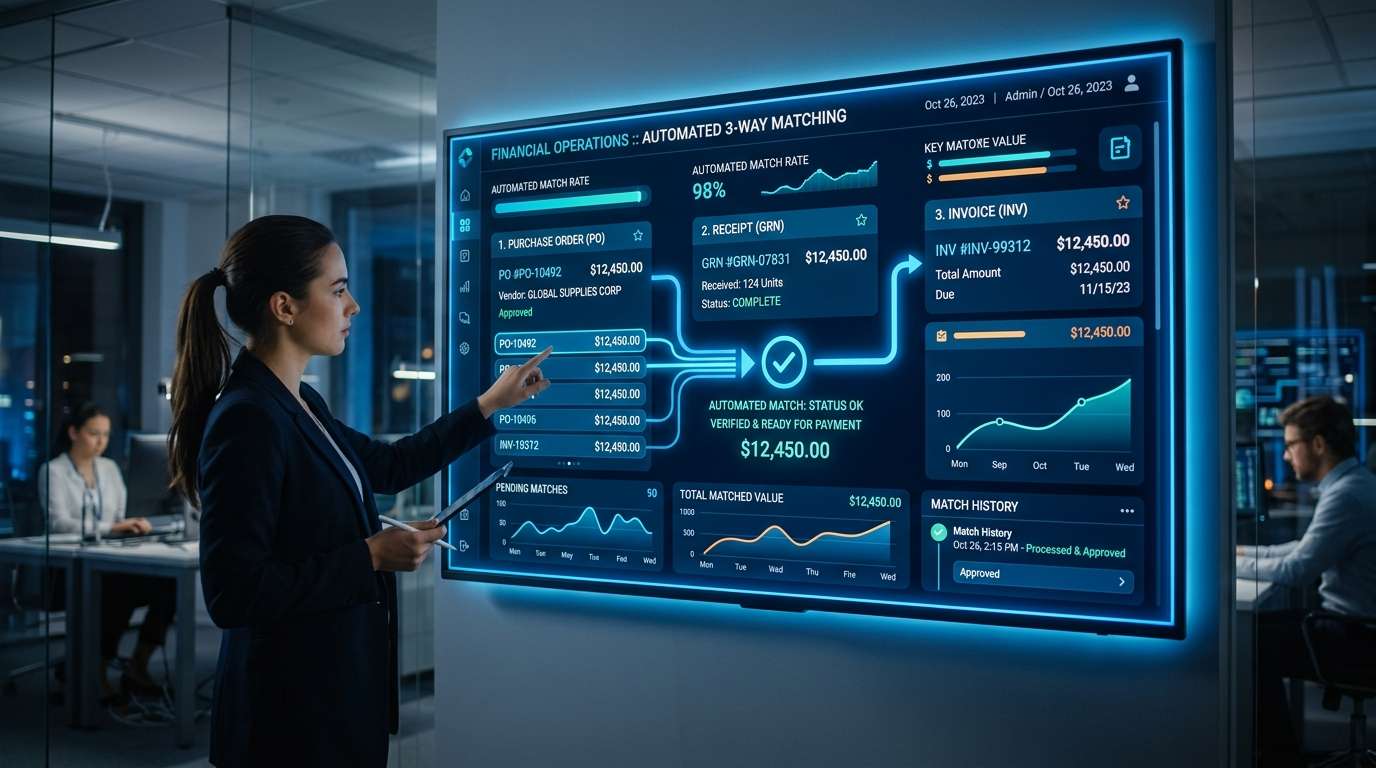
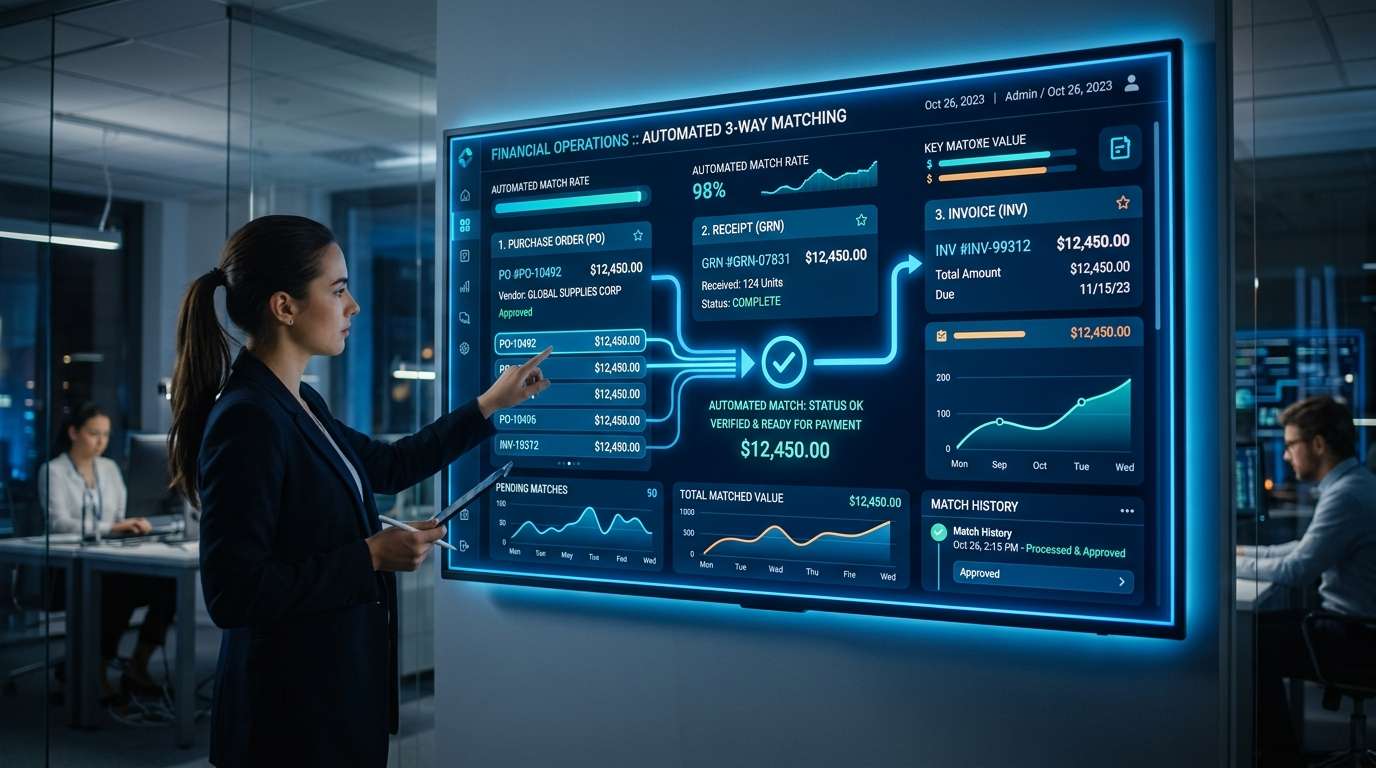
- Automated 3-Way Matching mechanism: The system will automatically match data between the Purchase Order (PO) – Goods Receipt PO (GRPO) – AP Invoice. If there is a discrepancy in price or quantity, the ERP will lock the payment and alert immediately, eliminating the risk of erroneous payments or fraud (Refer to the standard matching process at AICPA).
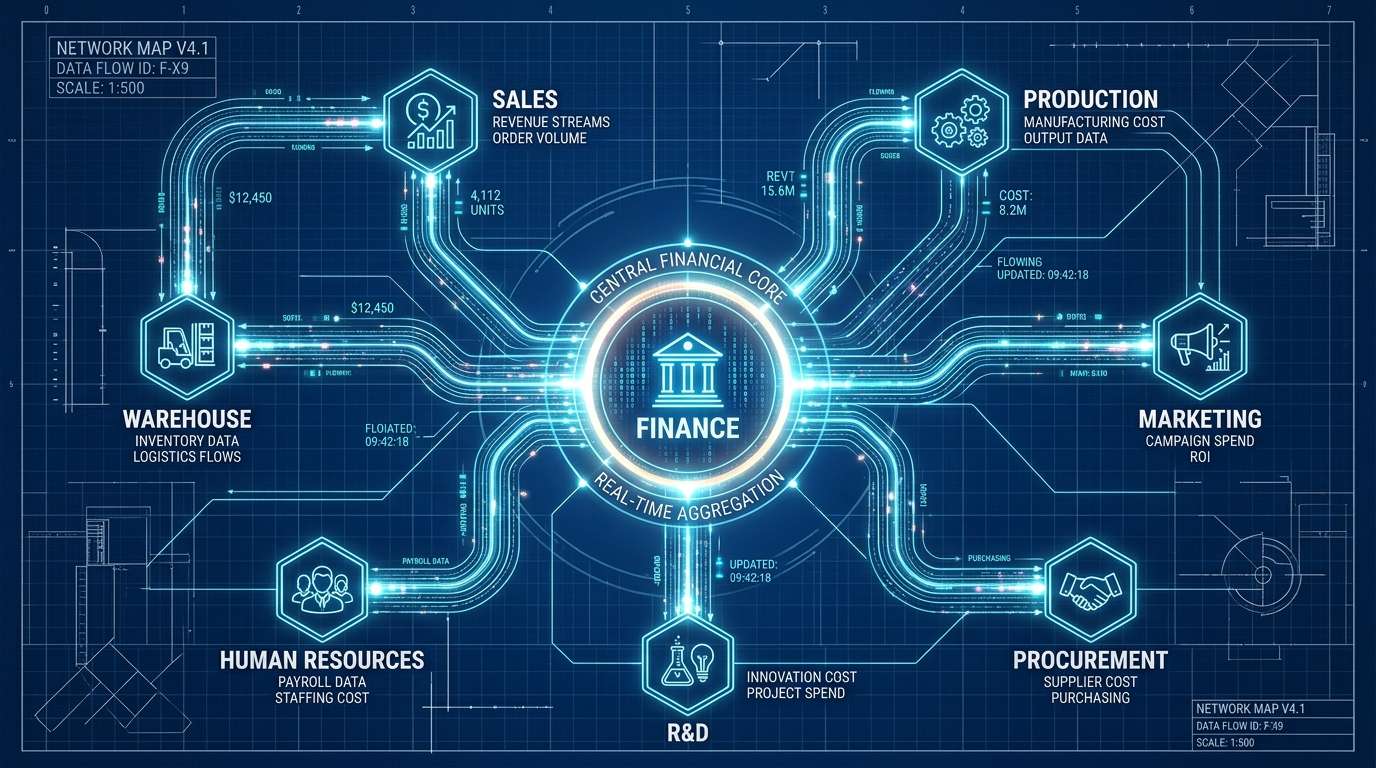
- Eliminate cash flow “Blind spots”: The Cash-flow report is updated in real-time. The Board of Directors sees the big picture of receivables coming due and payables in the upcoming week, enabling an accurate capital rotation strategy.
- Tighten Budgeting discipline: The ERP system allows setting budget “fences” for each department. Any purchasing proposal that risks overspending will be blocked by the system right at the request creation stage, without having to wait until money is disbursed to be detected.
- Absolute compliance with Legal regulations: When deployed in Vietnam, ERP systems are standardized and strictly comply with the Vietnamese Accounting Standards (VAS), automatically extract Tax reports, and easily integrate with e-Invoice portals.
This image serves as an illustration for the article to help readers understand better
4. 4 Red alert signs that you need to upgrade to an ERP accounting software immediately
Standalone accounting software still plays a good role in micro-enterprises. However, if your organization is experiencing the following symptoms, upgrading to a comprehensive ERP system is mandatory:
- “Data Island” syndrome: Inventory figures in the Accounting ledger and the actual Inventory of the Warehouse Keeper always deviate. Monthly reconciliation meetings are required but cannot find the root cause.
- Processing speed crisis: The old accounting system frequently freezes, slows down, or crashes unexpectedly when the volume of documents exceeds tens of thousands of lines.
- Bloated data entry personnel costs: When sales increase, instead of optimizing processes, the business has to recruit a series of additional accountants just to sit and retype invoices and goods issue notes from the purchasing MRP department.
- Leadership “thirsty” for information: The Board of Directors requests a detailed Profit analysis report by distribution channel, but the accounting department takes up to 3 days to export an Excel spreadsheet full of error risks.
5. InfoAsia – Creating a “Financial Brain” on an international standard ERP platform
For an ERP accounting module to operate smoothly and profitably, software structure is only a necessary condition; the data flow design capacity of the deployment unit is the sufficient condition. At InfoAsia, our positioning is not as a packaged software provider, but as an expert in consulting and establishing standard financial ecosystems.
- Power from the SAP Business One core: InfoAsia deploys the world’s leading ERP machine, SAP B1, bringing a rock-solid financial framework. The system is perfectly “localized” (Localization) to both comply with VAS and maintain strict global management standards.
- Absolute Production Costing solution: Unlike conventional accounting software that is often powerless against multi-stage production structures, InfoAsia integrates a solution to extract data from the MES system at the factory. The system automatically collects Work in Process (WIP) costs, allocates general overhead based on actual machine run time, helping accountants calculate the Actual Costing accurately to every penny.
- Optimal capital flow coordination: When connected to the APS module, accounting data and production plans are synchronized, ensuring that cash flow is always prepared for large material import campaigns.
- Multi-point ecosystem integration: InfoAsia expands the capabilities of the accounting module by writing Application Programming Interfaces (APIs) to connect with e-banking platforms (iBanking), Human Resource Management (HRM) systems, or the InfoAsia e-Office digital signing platform, creating a 100% automated workflow.
- Mastering Big Data technology: Thanks to our in-depth expertise in SQL Server optimization, the system established by InfoAsia ensures the ability to process millions of financial transaction commands with instantaneous response speed, completely eliminating the nightmare of system crashes on month-end closing days.
Partnering with InfoAsia is a strategic move for businesses to free up accounting resources, turning dry numbers into a lever for optimizing sustainable profits.
This image serves as an illustration for the article to help readers understand better
6. Frequently Asked Questions (FAQs)
Is an ERP accounting software suitable for small and medium-sized enterprises (SMEs)?
Yes. Although ERP was previously often reserved for large corporations, systems like SAP Business One are now specifically designed for small and medium-sized enterprises, helping to optimize initial investment costs while still possessing a world-class financial “brain”.
How long does it take to deploy an ERP accounting module?
Deployment time depends on the complexity of the business. On average at InfoAsia, deploying the core accounting module will take 1 to 3 months. This time includes both the process standardization and personnel training.
Is it easy for older accountants to get used to ERP accounting systems?
Modern ERP systems have a very intuitive interface. Additionally, instead of having to enter data manually continuously as before, ERP automates most operations. At InfoAsia, we provide hands-on training sessions that help personnel of all ages easily get used to and master the technology in a short time.
Does ERP accounting automatically update new tax laws?
The system is designed with an open architecture to be easily reconfigured when there are changes in policies (such as VAT rates, forms). InfoAsia will always accompany and support customers to update the system configuration to ensure 100% compliance with current laws.

InfoAsia Việt Nam trở thành nhà cung cấp dịch vụ phần mềm số hóa nhà máy sản xuất cho thương hiệu giày hàng đầu thế giới NEW BALANCE
Công ty TNHH Mây Tre Hà Linh
SAP ERP MES and IOT Project for FVIV Factor
Buwon Industry Co, Ltd
KANGLONGDA VIETNAM PROTECTION TECHNOLOGY COMPANY LIMITED
Shini Group
TA TING PLASTIC (HAI DUONG ) CO., LTD
CÔNG TY TNHH MTV BIÊN HOA SCM