




Has your factory ever faced a situation where the production line had to halt just because of a last-minute shortage of a minor component? Or, conversely, is your warehouse constantly overloaded with raw materials, but you don’t know when they will be used, leading to tied-up capital and wasted space?
The root cause of these issues often stems from a lack of synchronization among the planning, procurement, and warehousing departments. To thoroughly solve this problem, modern production managers turn to MRP—Material Requirements Planning systems. In this article, we will delve into the essence of MRP, how this system operates, and how it can help your business “buy the right things, at the right time, and in the right quantity.”
1. What is MRP?
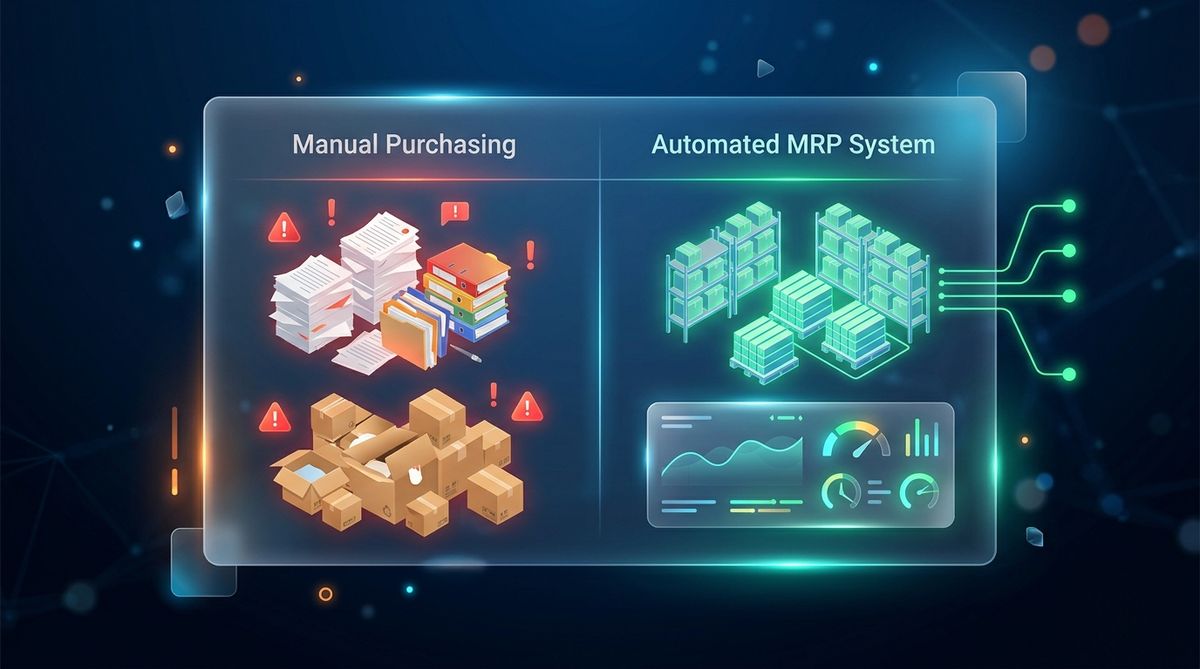
MRP (Material Requirements Planning) is a specialized software management system responsible for automatically calculating and scheduling the supply of raw materials to ensure that the production process runs continuously and as efficiently as possible.
At its core, MRP answers three vital questions in a factory’s supply chain:
- What needs to be purchased?
- How much needs to be purchased?
- When do the materials need to be on the shop floor?
An MRP system does not produce results out of thin air. It processes information based on the intersection of three massive data blocks: the Master Production Schedule (how many finished products need to be made), the Bill of Materials or BOM (what each finished product is composed of), and current Inventory Data.
Illustrative Example:
Suppose your factory receives a production order for 1,000 bicycles.
According to the BOM, each bicycle requires 1 frame, 2 wheels, and 1 saddle. Therefore, the Gross Requirement is 1,000 frames, 2,000 wheels, and 1,000 saddles.
However, checking the Inventory system reveals that there are currently 200 frames, 500 wheels, and 0 saddles available.
Simultaneously, the lead time for ordering frames is 10 days, wheels 5 days, and saddles 2 days.
At this point, instead of letting purchasing staff calculate manually on Excel, the MRP system will automatically issue a Purchase Request: It is necessary to buy an additional 800 frames (order 10 days in advance), 1,500 wheels (order 5 days in advance), and 1,000 saddles (order 2 days in advance). As a result, materials will “flow” into the warehouse exactly on the day the machines start running—no earlier (causing warehouse clutter) and no later (causing line stoppage).
2. Operating Principles of MRP
To create a flawless procurement schedule, the operating principle of an MRP system follows a logical and closed-loop cycle:
- Input Data Aggregation: The system begins by scanning all relevant parameters. It collects the Master Production Schedule (MPS), “dissects” the product structure through the Bill of Materials (BOM), updates real-time inventory quantities, and records the lead time of each supplier.
- Breakdown and Calculation of Gross Requirement: Based on the quantity of finished products to be delivered to the customer, MRP uses algorithms to multiply coefficients according to the BOM, breaking down the product structure from finished goods to sub-assemblies, and finally to the smallest individual components.
- Determination of Net Requirement: This is the most crucial step. MRP subtracts the on-hand inventory and the in-transit goods (ordered but not yet received) from the gross requirement. The final figure is the actual quantity that needs to trigger a new purchase order.
- Order Release Creation: Once the required purchase quantity is known, the system combines it with supplier lead times to automatically establish a backward schedule. This schedule explicitly specifies the exact date and time the procurement department must approve the Purchase Order (PO) so the goods arrive just in time.
- Flexible Rescheduling: Real-world production always has variables (customers change schedules, defective goods, suppliers deliver late). MRP operates continuously, automatically recalculating the entire supply chain whenever a new variable appears, helping to update the schedule accordingly.
3. The Role of MRP in Production
Transitioning from manual calculation to MRP software brings strategic changes to factory management operations:
- Freeing Up Tied-Down Working Capital: By calculating exactly the amount needed (Net Requirement), businesses will no longer over-purchase “just in case.” Warehouse space is freed up, inventory holding costs are reduced, and the risk of materials spoiling or becoming obsolete is minimized.
- Protecting Line Continuity: MRP completely eliminates the situation of “workers sitting idle waiting for materials.” An accurately established supply plan ensures machines always have enough materials to operate at full capacity.
- Enhancing Strategic Forecasting Capabilities: MRP provides long-term visibility into material requirements for upcoming quarters based on long-term production plans. This gives the procurement department the leverage to negotiate high-volume contracts at better prices with suppliers.
- Instant Adaptability to Fluctuations: When customers suddenly request an increase in production volume or shorter delivery times, MRP takes only a few minutes to automatically recalculate the entire supply plan, instead of spending days in meetings and recalculating in Excel.
- Protecting Customer Commitments: A smooth-running line with materials at the ready means orders will be completed and delivered on time (On-Time Delivery), boosting the factory’s reputation in the market.
4. Steps in Material Requirements Planning (MRP)
The process by which MRP software handles information is typically automated through the following 5 logical steps:
4.1. Step 1: Receiving the Master Production Schedule
The system starts by reading data from the master production schedule (e.g., Next month requires the delivery of 50,000 units of Product A). Factors to be determined include the target quantity, confirmed order commitments, maximum production capacity of the shop floor, and the completion deadline.
4.2. Step 2: “Dissecting” the Bill of Materials (BOM)
The system accesses the BOM of Product A. Here, it “explodes” the product structure into a detailed list (Level 0: Finished Product -> Level 1: Sub-assemblies -> Level 2: Components, chemicals, packaging). This step calculates the theoretical total material requirement.
4.3. Step 3: Offsetting with Actual Inventory
MRP matches the theoretical material quantity against current warehouse data. It calculates:
(Net Requirement) = (Total materials needed per BOM) – (On-hand inventory) – (In-transit materials on order) + (Mandatory safety stock to be maintained).
This step dictates whether the company needs to open its wallet to make additional purchases.
4.4. Step 4: Finalizing the Order Release Schedule
Once the purchase quantity is known, the system combines it with “Lead Time” data for each item. MRP will count backward from the production start date to establish a detailed schedule: Which day the order must be finalized, which day the goods are shipped, and which day they enter the warehouse.
4.5. Step 5: Continuous Alerting and Updating
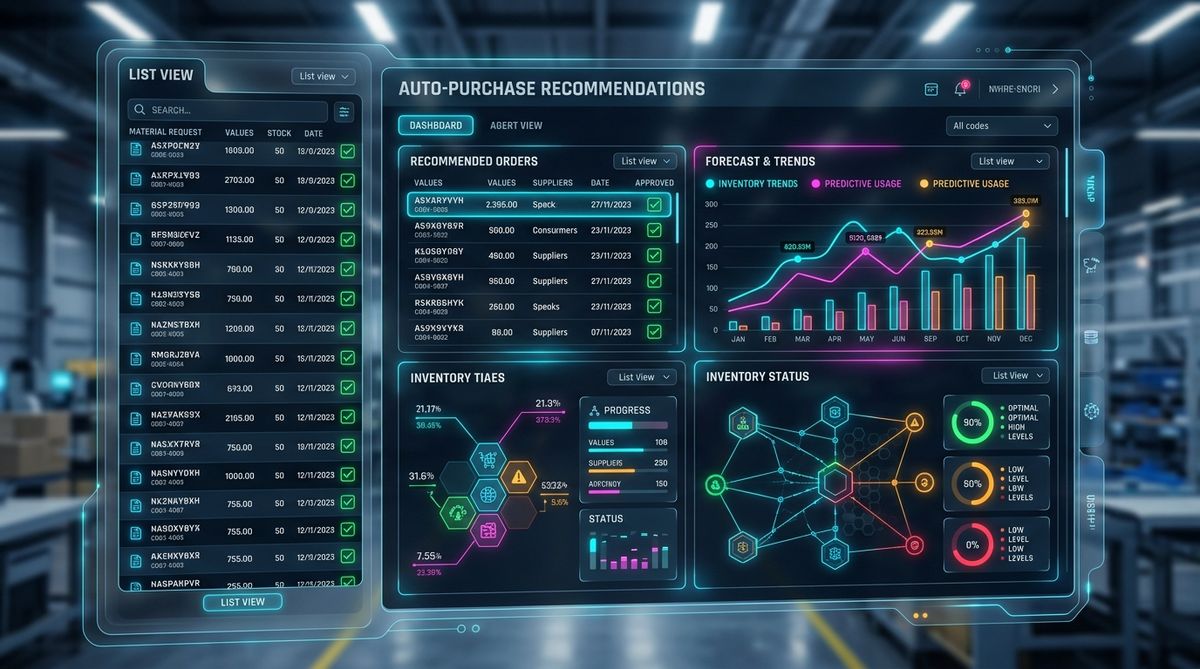
The system does not “sleep” after issuing a report. It continuously monitors the material consumption rate on the shop floor and updates delivery status from partners. If a shipment is reported 2 days late, MRP will automatically trigger a warning signal so dispatchers can readjust the shop floor plan accordingly.
5. Core Components and Data in an MRP System
No matter how intelligent an MRP system is, it will be useless if the input data is incorrect (the Garbage In – Garbage Out rule). For MRP to run smoothly, factories must maintain the accuracy of 3 core data repositories:
5.1. Bill of Materials (BOM) Data
The BOM is the “technical drawing” or “recipe” for any manufacturing management software. It strictly defines the structure required to create a finished product.
- Accuracy Requirement: The bill of materials must be precise down to the gram or millimeter. It is essential to manage Multi-level BOM structures and always update to the latest version when there are product design changes. If the BOM is skewed, MRP will miscalculate all procurement needs.
5.2. Master Production Schedule (MPS)
The MPS is the heartbeat of the factory. It clearly points out what the business intends to make, how much, and within what timeframe.
- Accuracy Requirement: The MPS must be created based on actual orders combined with grounded sales forecasts. This schedule must balance against the factory’s maximum machinery and labor capacity. The MPS is the benchmark that tells MRP “When materials are needed.”
5.3. Inventory Records
This is data concerning the current health of materials. It reflects the quantities sitting in the warehouse, quantities undergoing quality inspection, and quantities currently in transit.
- Accuracy Requirement: Warehouse data on the software must match physical reality 100%. Safety Stock levels must be accurately declared to guard against supply chain disruption risks. If warehouse staff forget to update Goods Receipt/Issue slips, MRP will direct the purchase of incorrect quantities.
6. Which Businesses are Suitable for MRP?
MRP is a standardized tool; thus, it is designed to serve highly organized production models.
Businesses that SHOULD apply MRP:
- Assembly, mechanical, and electronics manufacturing industries: Where a finished product is composed of hundreds of small components, with multi-level BOMs, procured from many different suppliers.
- Cyclical and seasonal mass production (FMCG, Plastics, Household appliances): Where product bills of materials are stable, requiring advanced forecasting of large material volumes to secure good pricing.
- Businesses under pressure regarding warehousing costs: Industries with thin profit margins, or materials that are perishable or of high value, which are compelled to apply Lean manufacturing to reduce dead inventory.
Businesses NOT suitable for MRP:
- Highly customized, single-piece job shops (Custom-made): For example, handcrafted carpentry workshops or custom-designed wedding dress tailors. Because each product is unique without a fixed BOM structure, the software cannot automatically perform batch calculations.
- Factories that have not yet standardized data: If inventory data is consistently inaccurate, and production bills of materials change on a whim according to the master craftsman, applying MRP will only generate garbage reports.
7. The Complete Solution: When MRP is Combined with a Manufacturing Execution System (MES)
MRP is an excellent procurement planning tool, but it is “blind” to what is actually happening down on the shop floor. MRP knows you need 1,000 components by Monday morning, but it doesn’t know that on Monday afternoon, pressing machine No. 3 breaks down and ruins 50 components.
That is why modern factories, much like InfoAsia’s orientation, always recommend integrating the MRP planning system (housed within an ERP) with a Manufacturing Execution System (MES).
- MRP acts as the “Planning Brain”: Taking care of calculating requirements, scheduling procurement, and preparing the ammunition (raw materials) for the battle.
- MES acts as the “Execution Nervous System”: Pushing MRP’s plan down to individual machines, monitoring actual progress, reporting quality, and counting scrap quantities in real-time.
- The Synergy: When MES detects a shop floor error causing material waste beyond the bill of materials, it instantly signals back to MRP. The MRP system will automatically rerun the scenario and issue an emergency supplementary purchase order for the wasted materials, ensuring the production line is not interrupted.
The integration between Planning (MRP) and Execution (MES) is the final puzzle piece, constructing a smart factory management model that reacts swiftly to the market and controls costs down to the last penny.
8. Frequently Asked Questions (FAQs)
Q1: Our factory has thousands of obsolete material codes (SKUs) left over historically. Can we run MRP software?
A1: You are required to “standardize” your material codes (Master Data) and BOMs before running the system. The core rule of MRP is “Garbage In, Garbage Out” (garbage input data yields garbage plans). While this data cleansing process is arduous, it is a necessary purification step for the system to operate accurately.
Q2: Can MRP calculate material waste (Scrap) during the production process?
A2: Absolutely. When setting up the bill of materials (BOM), the system allows you to declare an expected scrap rate (e.g., 2% wrapper waste). When calculating purchasing requirements, the algorithm will automatically add this extra 2% to ensure the shop floor always has sufficient materials despite occurring defects.
Q3: How does this MRP module differ from an APS system?
A3: MRP is the foundational platform, focusing strictly on calculating “Materials” (Are there enough raw materials?). Meanwhile, an Advanced Planning and Scheduling (APS) system computes both “Materials” and “Machine Capacity” (Are machines free to run?). For large-scale factories, utilizing both MRP and APS concurrently is the optimal configuration standard.

InfoAsia Việt Nam trở thành nhà cung cấp dịch vụ phần mềm số hóa nhà máy sản xuất cho thương hiệu giày hàng đầu thế giới NEW BALANCE
Công ty TNHH Mây Tre Hà Linh
SAP ERP MES and IOT Project for FVIV Factor
Buwon Industry Co, Ltd
KANGLONGDA VIETNAM PROTECTION TECHNOLOGY COMPANY LIMITED
Shini Group
TA TING PLASTIC (HAI DUONG ) CO., LTD
CÔNG TY TNHH MTV BIÊN HOA SCM